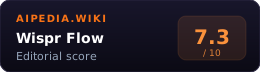
Wispr Flow is an AI voice dictation app. It works across Mac, Windows, iPhone, and Android, turning spoken words into cleaned-up text inside the apps where people already write.
The key distinction is Wispr Flow vs raw speech-to-text. Raw transcription captures words. Wispr Flow is positioned as a productivity layer: custom dictionary, snippets, Command Mode, edits, formatting, Privacy Mode, team collaboration, and enterprise controls.
Recent developments
- June 10, 2026: Pricing, plan docs, data controls, and team/enterprise docs reverified. Flow Basic remains free; Flow Pro is still listed at $15/user/month monthly or $12/user/month annual; Enterprise remains contact-sales. Team docs clarify 14-day trials, shared context, team insights, and billing grace-period behavior. Data Controls clarify that Privacy Mode is the zero-dictation-retention path, while cloud transcription still occurs.
- June 4, 2026: Wispr published a reliability update after recent issues, saying scaling-related infrastructure changes caused outages and text-insertion problems, with redundancy, health monitoring, and on-call processes now prioritized. Treat this as a transparency signal and a rollout risk to test before team-wide deployment.
- May 12, 2026: Wispr reportedly in talks for ~$260M at ~$2B valuation, led by Menlo Ventures. Bloomberg and The Tech Portal both reported the round (not yet finalized) and cited 2.5M+ downloads and Fortune 500 traction. Treat the valuation as a buying-confidence signal for product longevity, not a pricing change.
- 2026-05-13: Pro pricing re-verified unchanged at $15/user/mo monthly or $12/user/mo annual on the official pricing page.
System Verdict
Pick Wispr Flow if your bottleneck is typing. It is strongest for people who write across email, documents, chat, notes, tickets, code comments, CRM fields, and long-form drafts.
Skip it if you need a voice agent or API transcription. Retell AI is for phone agents. Whisper, Deepgram, AssemblyAI, and similar APIs are better for developer transcription pipelines.
Who pays which tier: Basic is good for testing. Pro is the real individual/team tier. Enterprise is for teams that need SSO, enforced Privacy Mode, compliance controls, bulk pricing, advanced dashboards, and dedicated support.
Key Facts
| Core product | AI voice dictation app |
| Platforms | Mac, Windows, iPhone, Android |
| Languages | 100+ languages |
| Free tier | Basic |
| Pro monthly | $15/user/month |
| Pro annual | $12/user/month when billed annually |
| Pro unlocks | Unlimited words, command mode, priority support, early access, team features |
| Student discount | Three months free and 50% off Pro for eligible students |
| Affiliate program | Public Dub program lists 25% per sale for the first year and a 60-day cookie |
| Enterprise controls | Dedicated support, SOC 2 Type II, ISO 27001, enforced HIPAA compliance, enforced Privacy Mode, SSO/SAML, advanced dashboards |
| Privacy Mode | Zero dictation data retention when enabled; enterprise buyers can enforce it |
| Reliability note | June 4 update disclosed recent outages/text-insertion reliability work |
What It Actually Is
Wispr Flow is not a meeting recorder and not a call bot. It is a cross-app dictation system. The current business/pricing page says Basic includes desktop, iPhone, and Android usage limits, custom dictionary and snippets, support for 100+ languages, Privacy Mode, and HIPAA-ready positioning. Pro adds unlimited words across Mac, Windows, iPhone, and Android, Command Mode for editing, prioritized support, early access, and team collaboration features.
That makes Wispr Flow useful for high-volume text entry. It can be especially valuable for people who already know what they want to say but lose time typing, formatting, or moving between apps.
Command Mode is the key paid workflow to understand. Wispr’s help docs say it is available on Mac and Windows, requires a paid subscription or active trial, and lets users highlight text and speak commands to rewrite, translate, or ask questions inline. That is useful, but it is not the same thing as an autonomous writing assistant.
Decision Matrix
| Need | Wispr Flow fit | Notes |
|---|---|---|
| Write emails by voice | Strong | Cross-app dictation is the core workflow |
| Draft notes and documents | Strong | Cleaned-up dictation is useful |
| Accessibility support | Strong | Can reduce keyboard dependence |
| API transcription | Weak | Use Whisper, Deepgram, or AssemblyAI |
| Phone agent automation | Weak | Use Retell AI or Voiceflow |
| Meeting summaries | Medium-low | Use Granola, Fathom, or Otter |
| Voice editing commands | Strong | Command Mode is paid/trial-only and currently documented for Mac and Windows |
When To Pick Wispr Flow
- You write all day. The subscription makes most sense when typing is a real daily bottleneck.
- You work across many apps. Dictation value drops if it only works in one writing surface.
- You need command mode. Editing by voice is the reason to pay for Pro.
- You want privacy controls. Privacy mode and enterprise enforcement matter for sensitive work.
- You manage a small writing-heavy team. Pro includes shared dictionary, shared snippets, centralized billing, admin controls, and basic usage dashboards.
- You need mobile and desktop. Mac, Windows, iPhone, and Android support makes it more flexible than desktop-only tools.
When To Pick Something Else
- Developer speech-to-text API: Whisper, Deepgram, or AssemblyAI.
- AI phone agents: Retell AI or Voiceflow.
- Meeting notes: Granola, Fathom, Otter.ai, or Read AI.
- General writing assistant: Grammarly or Claude.
Pricing
Wispr Flow pricing was re-verified from official plan docs and the business pricing page on 2026-06-12:
| Plan | Price | Practical meaning |
|---|---|---|
| Flow Basic | Free | 2,000 words/week on Mac or Windows, 1,000 words/week on iPhone, Android unlimited for a limited time |
| Flow Pro | $15/user/month monthly or $12/user/month annual | Unlimited words, command mode, priority support, early access, team features |
| Flow Enterprise | Custom | Dedicated support, SOC 2 Type II, ISO 27001, enforced HIPAA compliance, enforced Privacy Mode, SSO/SAML, advanced dashboards, bulk pricing discounts, dedicated IT admin seats |
The pricing page also says new users start with a 14-day Flow Pro trial and no card required. Students get three months free and 50% off Pro; the pricing page also says discounted Flow Pro is available for students, educators, and nonprofit organizations.
Team and Enterprise admins should read the plan FAQ before procurement. Wispr’s current help center describes individual teammate trials, team-specific perks such as team insights and shared context, and a 3-day billing grace period after a team trial expires. That matters because a small team can start like a consumer app but quickly need admin, billing, and policy ownership.
Against The Alternatives
| Wispr Flow | Whisper | Granola | |
|---|---|---|---|
| Primary job | Cross-app dictation | Speech-to-text model/API | Meeting notes |
| Best user | Writers/operators | Developers/builders | Meeting-heavy professionals |
| Pricing model | Freemium subscription | Free self-host/API usage | Subscription |
| Editing layer | Command mode and cleanup | Build your own | Meeting summary workflows |
| Best viewed as | Speaking-to-write tool | Transcription engine | Meeting assistant |
Failure Modes
- It only pays off if you dictate often. Occasional users may not get enough value from Pro.
- Privacy Mode is a setting and policy choice. Wispr says Privacy Mode gives zero dictation data retention. Enterprise and HIPAA workflows can enforce it, but non-enterprise teams should verify settings before dictating sensitive material.
- Cloud transcription still happens. Wispr’s data-controls page says transcription is performed in the cloud even when Privacy Mode changes retention/training behavior, so sensitive teams should review the Trust Center, BAA/DPA/MSA, and retention controls before rollout.
- Reliability needs pilot testing. Wispr’s June 4 reliability note disclosed recent infrastructure and text-insertion issues; test across the team’s actual OS versions, microphones, apps, login behavior, and mobile/desktop mix before mandating it.
- Compliance wording needs procurement review. The pricing/privacy pages say SOC 2 Type II, ISO 27001, HIPAA, SSO/SAML, and enforced Privacy Mode are available, but teams should still review the Trust Center, BAA, DPA/MSA, and current reports.
- Speech habits matter. Dictation gets better when users learn to speak in structured chunks.
- No voice-agent workflow. Wispr Flow is for writing, not customer calls.
- Domain vocabulary needs setup. Custom dictionary and snippets matter for names, products, legal terms, or technical words.
Methodology
This page was produced by the aipedia.wiki editorial pipeline. Scoring follows the four-dimension rubric at /about/scoring/ (Utility x Value x Moat x Longevity, unweighted average). Last verified 2026-06-12 against Wispr Flow primary plan docs, business pricing, data-controls, privacy, command-mode, team/enterprise, reliability-update, referral, and affiliate-program information, plus May 12, 2026 Bloomberg/The Tech Portal/TechFundingNews coverage of the reported $260M Menlo-led round at a $2B valuation.
FAQ
What is Wispr Flow? Wispr Flow is an AI dictation app for writing by voice across desktop and mobile apps.
How much does Wispr Flow cost? Flow Basic is free. Flow Pro is listed at $15/user/month monthly or $12/user/month when billed annually. Enterprise is custom. Students get three months free and 50% off Pro.
Does Wispr Flow work on Windows? Yes. The pricing page lists Mac, Windows, iPhone, and Android support for Pro unlimited words.
Is Command Mode free? No. Wispr’s Command Mode help page says it requires a paid subscription or active free trial and is available on Mac and Windows.
Does Wispr Flow have an affiliate program? Yes. The public Dub partner page lists 25% per sale for the first year and a 60-day cookie. Reader CTAs should use the official product link unless approved tracking is added with nearby disclosure.
Is Wispr Flow a voice agent? No. Wispr Flow is a dictation and writing tool. Use a voice-agent platform for phone automation.
Sources
- Wispr Flow plans docs: Basic, Pro, Team, Enterprise, platforms, and plan features (verified 2026-06-12)
- Wispr Flow business pricing: current Free/Pro/Enterprise price and feature cards (verified 2026-06-12)
- Wispr Flow data controls: Privacy Mode, retention, cloud transcription, context awareness, and security controls (verified 2026-06-12)
- Wispr Flow What’s New: June 12, 2026 reliability update (verified 2026-06-12)
- Wispr Flow privacy: Privacy Mode, no-sale/no-share language, compliance and SSO claims (verified 2026-06-12)
- Wispr Flow Command Mode docs: paid/trial requirement and Mac/Windows availability
- Wispr Flow team and Enterprise FAQ: trials, billing, team features, admin roles, and Enterprise access (verified 2026-06-12)
- Wispr Flow affiliate program: commission, cookie, payout, and advertising guidelines
- Bloomberg: Wispr in funding talks at $2B value (May 12, 2026): $260M round led by Menlo Ventures, not finalized
- aipedia.wiki news coverage: aggregated coverage of the reported round
Related
- Category: AI Voice · AI Writing · AI Notes
- Alternatives: Whisper · Deepgram · AssemblyAI · Granola · Fathom