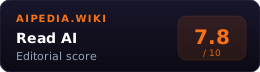
Read AI is an AI meeting assistant and productivity platform. It generates meeting reports, transcripts, summaries, coaching metrics, and search across workplace content. The product also includes Search Copilot and personal AI positioning around a digital twin.
It competes with Fathom, Fireflies, Otter.ai, Tactiq, and enterprise search tools.
System Verdict
Pick Read AI if you want meeting notes plus productivity search. It is broader than a pure notetaker and more workflow-oriented than a transcription API.
Skip it if the free tier is your main reason. Read’s free plan is useful for evaluation but capped. Fathom remains the stronger free-transcription default.
Read is best for teams that want meeting capture, summaries, coaching, and work search in one productivity layer.
Key Facts
| Core product | AI meeting assistant and productivity search |
| Meetings | Zoom, Microsoft Teams, Google Meet |
| Free plan | 5 meeting transcripts per month |
| Paid plans | Unlimited meeting transcripts and reports on paid plans |
| Meeting length | 1 hour on Free, 4 hours on Pro/Enterprise, 8 hours on Enterprise+ |
| Integrations | Notion, Salesforce, HubSpot, Jira, Confluence, Zapier, webhooks and more |
| Enterprise+ | HIPAA, SSO/SAML, domain capture, custom retention |
| Best fit | Teams combining meeting notes and cross-work search |
When to pick Read AI
- You want meeting reports, not just transcripts. Summaries, topics, action items, and key questions are core.
- You care about meeting coaching. Metrics around talk time, speed, engagement, and sentiment can help managers.
- You need integrations. Paid plans add premium integrations for CRM, project management, docs, and automation.
- You want search beyond meetings. Search Copilot points toward a broader workplace knowledge layer.
- You need enterprise controls. Enterprise+ includes SSO/SAML, HIPAA support, domain capture, and retention policy controls.
When to pick something else
- Best free notetaker: Fathom.
- Sales call intelligence: Gong, Clari, or Fireflies depending on CRM needs.
- No-bot notes: Tactiq if a Chrome-extension workflow is acceptable.
- Developer speech APIs: Deepgram or AssemblyAI.
- Enterprise-wide search: Glean.
Pricing
Read AI has a free plan with 5 meeting transcripts per month, unlimited enterprise search, meeting/email/messaging summaries, coaching, basic integrations, topic readouts, 20+ languages, and desktop/mobile apps.
As verified on 2026-06-12, Pro is $19.75 per user per month on monthly billing and $15 per user per month annually. It adds unlimited meeting transcripts, priority report processing, premium integrations, workspace access, unlimited meeting reports, unlimited storage, and 100 upload minutes per month. Enterprise is $29.75 monthly or $22.50 annually, adding audio/video playback, video highlights, premium support, and 200 upload minutes. Enterprise+ requires 5+ licenses and is $39.75 monthly or $29.75 annually, adding HIPAA compliance/SAML, domain capture, custom retention, workspace onboarding, and 300 upload minutes.
Teams should compare against Fathom if unlimited free transcription is the deciding feature.
Buyer fit
Read AI is strongest when meeting data should become a searchable work layer rather than a pile of transcripts. Managers may value coaching and engagement signals; operators may value action items and follow-ups; cross-functional teams may value Search Copilot across meetings, email, messaging, and integrations.
It is weaker when a team only wants a simple meeting recorder. The more Read AI is used for coaching, search, and workspace-level sharing, the more governance matters: who can see meeting reports, what gets recorded, how long data is retained, and whether participants are comfortable with a bot in the room.
Rollout checklist
- Confirm recording-consent norms for Zoom, Teams, and Meet.
- Decide which meetings should automatically include Read Assistant.
- Test whether summaries, action items, and key questions are accurate enough for important decisions.
- Review Search Copilot access across meetings, email, messages, and integrations.
- Choose a plan based on meeting length, playback needs, upload minutes, security controls, and license count.
- Set policy for coaching metrics so sentiment and engagement data are used constructively.
Failure Modes
- Free plan caps are real. Five meeting transcripts per month is evaluation-level for many users.
- Bot-in-room friction. Some meetings do not allow recording assistants.
- Metrics can be misread. Sentiment and engagement signals should not become lazy performance management.
- Enterprise value needs adoption. Search and coaching only work if teams use the reports.
- Pricing page complexity. Plan names and annual/monthly rates need careful reading.
- Search scope requires governance. Cross-work search is powerful only if access and sharing rules are clear.
Methodology
Last verified 2026-06-12 against Read AI pricing and product pages. Scoring emphasizes meeting utility, search breadth, integration depth, governance risk, and free-plan limits.
FAQ
Does Read AI support Zoom, Teams, and Meet? Yes. Read Assistant supports Zoom, Microsoft Teams, and Google Meet.
Is Read AI free? Yes, but the free plan includes a limited number of meeting transcripts per month.
Read AI vs Fathom? Fathom is stronger as the free notetaker. Read AI is broader if you want meeting coaching, work search, and enterprise controls.