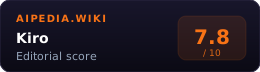
Kiro is a spec-driven agentic IDE and CLI. It takes a prompt and pushes the work through structured artifacts: requirements, design, tasks, implementation, tests, and documentation. The core pitch is that AI coding should be traceable and reviewable, not just a chat box that edits files.
Kiro is compatible with Open VSX plugins, themes, and VS Code settings. It supports multimodal chat, specs, steering files, hooks, native MCP integration, autopilot mode, image inputs, commit-message generation, diagnostics, and code diffs.
The product is built around a sharp editorial stance: vibe coding is useful for exploration, but production work needs a spec. Kiro’s specs create requirements.md or bugfix.md, design.md, and tasks.md; steering files carry project conventions; hooks automate routine agent actions around file saves, prompts, tool calls, and task execution.
May 6, 2026: ServiceNow and AWS linked AI Control Tower, Bedrock AgentCore, and Kiro. The integration gives Kiro a governed ServiceNow app-development path for mutual AWS and ServiceNow customers, with shared identity, policy, and audit controls flowing through AgentCore.
System Verdict
Pick Kiro if your team wants AI coding with a paper trail. Specs are the differentiator: Kiro produces requirements, design docs, and task lists before or alongside implementation, which makes it easier to review intent and prevent agent drift.
Skip it for fast exploratory work. The same structure that helps complex projects can feel heavy for small edits. Cursor and Claude Code are better defaults when the developer already knows the change and just wants an agent to execute.
Who pays which tier: Free for evaluation, Pro at $20/mo for normal individual use, Pro+ at $40/mo for heavier regular work, Power at $200/mo for sustained agent use, Enterprise for centralized billing, SAML/SCIM SSO, usage analytics, and security controls.
Key Facts
| Core product | Agentic IDE and CLI |
| Differentiator | Spec-driven development |
| Spec files | requirements.md or bugfix.md, design.md, tasks.md |
| Workflows | Feature specs and bugfix specs |
| Context controls | Specs, steering files, smart context management |
| Automation | Agent hooks for file events, prompt events, tool use, and spec task execution |
| Integrations | Native MCP, including remote MCP |
| Models | Auto routing plus selectable Claude/open-weight/premium models; availability varies by plan and country |
| Autonomous agent | Preview for Pro, Pro+, and Power users; team access invite-only |
| Pricing | Free $0, Pro $20, Pro+ $40, Power $200, Enterprise custom |
| Overage | $0.04 per additional credit on paid plans when enabled |
What It Actually Is
Kiro tries to make AI coding more like a product-engineering workflow. A feature spec captures user stories and acceptance criteria. The design phase captures architecture, sequence diagrams, data flow, error handling, and testing strategy. The task phase breaks implementation into discrete checklist items that Kiro can execute and update.
Bugfix specs do the same for defects: current behavior, expected behavior, unchanged behavior, root cause, fix design, and validation. That makes Kiro especially interesting for teams that have been burned by agents fixing one symptom while quietly breaking another path.
Steering is the second important layer. Workspace steering files live under .kiro/steering/, global steering files live under ~/.kiro/steering/, and AGENTS.md files can be picked up as steering directives. That gives teams a way to encode code style, architecture, security policies, and testing expectations once instead of repeating them in every prompt.
Hooks are the third layer. They can run agent prompts or shell commands around common events: prompt submit, agent stop, pre/post tool use, file create/save/delete, and pre/post spec task execution. In practical terms, hooks are where teams can enforce formatting, block risky commands, gather context, or kick off tests around agent work.
When To Pick Kiro
- You want requirements before code. Specs make intent explicit before the agent starts rewriting files.
- You are building complex features. Kiro is strongest when design and task planning reduce ambiguity.
- You need team-readable artifacts. Requirements, design, and task files are easier to review than a raw chat transcript.
- You need guardrails per repo. Steering files let teams define coding standards, context, and preferred workflows.
- You want MCP plus IDE ergonomics. Kiro connects to external docs, databases, APIs, and tools.
- You want repeatable team rules. Steering files and hooks make the agent follow the same standards across a codebase.
When To Pick Something Else
- Fast GUI-first agent coding: Cursor.
- Terminal-first autonomous coding: Claude Code.
- Editor-extension approach: Augment Code or GitHub Copilot.
- Open-source or self-configured coding agent: Cline, Aider, or Continue.
- No-code app generation: Lovable, Base44, or Replit Agent.
Pricing
Pricing via Kiro pricing:
| Plan | Price | Credits | Notes |
|---|---|---|---|
| Kiro Free | $0/mo | 50 | Perpetual free tier; eligible first paid upgrades can receive a $20 subscription credit |
| Kiro Pro | $20/mo | 1,000 | Paid overage available |
| Kiro Pro+ | $40/mo | 2,000 | Paid overage available |
| Kiro Power | $200/mo | 10,000 | Paid overage available |
| Enterprise | Custom | Custom | Team billing, analytics, SAML/SCIM SSO, enterprise controls |
Credits are consumed by prompts in vibe mode or spec mode, spec refinement, task execution, and agent hook execution. Paid plans can enable overage at $0.04 per credit. Kiro’s pricing page still showed a 50% Kiro Web promotional usage discount through May 29, 2026; because that date has passed, June budgets should assume standard credit burn unless the account dashboard says otherwise.
Against The Alternatives
| Kiro | Cursor | Claude Code | |
|---|---|---|---|
| Primary workflow | Specs -> design -> tasks -> implementation | Agent window inside VS Code fork | Terminal-first autonomous loop |
| Best at | Traceable feature planning | Interactive multi-agent editing | Running codebase tasks from shell |
| Team controls | Steering files, hooks, specs | Rules, worktrees, cloud agents | Repo instructions and CLI workflow |
| Cost shape | Credit tiers + overage | Subscription usage pool | Claude subscription/API usage |
| Best viewed as | Structured agentic IDE | Fast AI-native editor | Strongest CLI coding agent |
Failure Modes
- Specs can be overhead. For quick edits, requirements-design-tasks is slower than asking an agent to patch the file.
- Credit spend can surprise teams. Spec refinement, task execution, and hooks all consume credits.
- Model choice is narrower than model routers. Kiro exposes Auto routing plus selected Claude/open-weight/premium models, but Cursor, Continue, and OpenRouter-style workflows expose broader provider menus.
- Spec quality depends on the prompt. A vague feature request still produces vague requirements unless a human tightens acceptance criteria.
- Not a replacement for tests. Structured plans help, but the repo still needs meaningful automated checks.
Methodology
This page was produced by the aipedia.wiki editorial pipeline. Scoring follows the four-dimension rubric at /about/scoring/ (Utility x Value x Moat x Longevity, unweighted average). Last verified 2026-06-12 against primary Kiro sources and the May 6 ServiceNow + AWS AgentCore + Kiro integration coverage.
FAQ
What is spec-driven development in Kiro? Kiro turns a feature or bug prompt into structured spec files: requirements or bug analysis, design, and tasks. The agent then uses those artifacts to implement and track the work.
Is Kiro free? Yes. Kiro Free includes 50 credits per month. New sign-ups receive 500 bonus credits usable within 30 days.
How much does Kiro Pro cost? Kiro Pro is $20/month with 1,000 credits. Pro+ is $40/month with 2,000 credits. Power is $200/month with 10,000 credits.
Does Kiro need an AWS account? Kiro’s FAQ says users can log in with GitHub, Google, AWS Builder ID, or AWS IAM Identity Center, and that an AWS account is not required.
Sources
- Kiro pricing: plan prices, credits, overage terms
- Kiro homepage: product positioning, IDE/CLI, models, MCP, steering, autopilot
- Kiro specs docs: spec file structure and workflows
- Kiro steering docs: workspace/global steering, AGENTS.md support, inclusion modes
- Kiro hooks docs: event-based agent automation
- Kiro autonomous agent: preview status and isolated PR workflow
Related
- Category: AI Coding
- Alternatives: Cursor · Claude Code · Augment Code · GitHub Copilot · Cline