Rows is an AI-native cloud spreadsheet. It looks and feels like Google Sheets, but it ships with a native AI Analyst, an =AI() cell function, inline Python blocks, and 50+ live connectors to SaaS tools like HubSpot, Google Analytics, Stripe, and GitHub.
Rows joined Superhuman in 2026 and still ships as a standalone product at rows.com. Pricing runs Free, Plus at $8/user/month, Pro at $79/month base plus $8/user, and Enterprise on custom contracts. Rows’ pricing page says Superhuman privacy policy and terms apply as of June 16.
System Verdict
Pick Rows when an ops or marketing team needs a spreadsheet that pulls live SaaS data, enriches it with AI, and charts it without hiring a BI engineer. The AI Analyst chats with your tables and writes formulas. The
=AI()cell classifies, extracts, or generates text inline. The 50+ connector library removes most CSV export drudgery.Skip it for Excel-grade financial modeling. Desktop Excel still wins on macros, complex pivots, and offline work. Skip it if you are locked into Google Workspace. Sheets plus Gemini covers most of the same ground with tighter Docs and Drive integration. Skip it for Airtable-style relational databases. Rows is a spreadsheet first; Airtable AI handles linked records better.
Who pays which tier: Free for personal testing and five AI tasks a month, Plus $8/user for most individual analysts, Pro $79 base + $8/user for small teams that need scheduled data automations and 1M API calls, Enterprise for SSO, custom AI models, and unlimited usage.
Key Facts
| Product type | AI-native cloud spreadsheet |
| Flagship AI feature | AI Analyst (chat) + =AI() cell function |
| Core AI capabilities | Formula writing, charts, classification, text extraction, forecasting, web research |
| Models used | OpenAI GPT family, Llama, and other LLMs, updated on vendor schedule |
| Data connectors | 50+ native integrations (HubSpot, GA, Stripe, GitHub, LinkedIn, Notion, Slack) |
| Scripting | Built-in Python blocks for cohort analysis, stats, forecasting |
| Pricing | Free, Plus $8, Pro $79 base + $8/user, Enterprise custom |
| Free-tier AI | 5 AI tasks per month |
| Plus AI cap | 200 AI tasks per month |
| Pro AI cap | 1,000 AI tasks per month |
| Ownership | Joined Superhuman in 2026, still sold standalone |
Every data point above was verified against vendor documentation on 2026-06-12. See Sources.
What it actually is
One product: a browser-based spreadsheet where every cell can call AI. Type = and describe the result in plain English, and Rows writes the formula, the chart, or the enrichment lookup. The AI Analyst is a chat panel that reads your tables and answers natural-language questions.
The connector library is the second half of the pitch. Instead of exporting a CSV from HubSpot and pasting it in, a Rows Data Table pulls live records on a schedule. Paid plans let you refresh every minute. Free plans require manual imports.
The moat is workflow lock-in for non-technical teams. An ops lead with a Rows workbook pulling from five SaaS tools and running weekly AI classifications is hard to migrate. The weakness is commoditization. Google Sheets plus Gemini, Excel plus Copilot, and Airtable AI all converge on similar feature sets.
When to pick Rows
- You run marketing or revenue ops and live in SaaS tool data. The connector library is the strongest reason to pick Rows over Sheets or Excel.
- You want AI without leaving the spreadsheet. The
=AI()cell avoids context-switching to ChatGPT, pasting results back, and manually formatting. - You need scheduled data pulls on a small budget. Pro at $79 base lets a team refresh Data Tables every minute with 1M API calls monthly.
- You want Python in a sheet. Inline Python blocks handle cohort analysis and forecasting without a notebook.
- You need light BI without a BI engineer. Rows workbooks double as live dashboards for 5-20 person teams.
When to pick something else
- You live inside Google Workspace: Google Sheets with Gemini integration covers most AI spreadsheet tasks with tighter Docs and Drive hooks.
- You need Excel power features: desktop Excel plus Copilot handles macros, offline work, and enterprise financial modeling Rows cannot match.
- You need relational tables, not rows and columns: Airtable AI handles linked records, views, and databases better.
- You only need AI data analysis, not a spreadsheet: Julius focuses on chat-driven analysis and chart generation without the workbook overhead.
- You want code-interpreter power in a chat tool: ChatGPT Code Interpreter executes Python on uploaded files without a persistent workbook.
- You want Claude-style reasoning on data: Claude handles long CSVs in-context and explains findings in prose.
Pricing
Subscription pricing via rows.com/pricing. Annual billing saves roughly 25% across paid tiers.
| Plan | Monthly | Annual (effective) | AI tasks/mo | Data Tables | Integrations | API calls | Who it is for |
|---|---|---|---|---|---|---|---|
| Free | $0 | $0 | 5 | Manual import | 10 accounts | 500/mo | Testing, personal use |
| Plus | $8/user | $6/user | 200 | Daily refresh | 10 accounts | 50k/mo | Most individual analysts land here |
| Pro | $79 + $8/user | $59 + $6/user | 1,000 | Minute refresh | 100 accounts | 1M/mo | Small teams, scheduled automations |
| Enterprise | Custom | Custom | Unlimited | Minute refresh | Unlimited | Advanced | , custom AI models, compliance |
Prices verified 2026-06-12 via rows.com/pricing. Rows’ pricing page says Superhuman privacy policy and terms apply as of June 16 following the 2026 acquisition.
Against the alternatives
| Rows | Excel + Copilot | Sheets + Gemini | Airtable AI | |
|---|---|---|---|---|
| AI cell function | =AI() native | Copilot chat, not pure cell | Gemini side-panel | AI fields |
| Live SaaS connectors | 50+ native | Power Query | IMPORT + addons | Native + Zapier |
| Python inline | Yes, code blocks | Python in Excel | App Script only | No |
| Relational views | Limited | No | No | Strongest |
| Offline use | No | Yes (desktop) | No | No |
| Free tier | 5 AI tasks/mo | Copilot needs M365 | Free with Google account | Free base |
| Best viewed as | AI-first ops sheet | Enterprise modeling standard | Workspace-native sheet | Relational database with AI |
Failure modes
- AI task caps are tight. Free gets 5 AI tasks per month and Plus gets 200. Teams running classifications across thousands of rows hit the Pro tier fast.
- Model choice is vendor-controlled. Rows picks the LLM per task. You cannot pin a specific model for reproducible outputs. Enterprise can request custom models.
- Data Tables depend on upstream APIs. HubSpot, Stripe, and GA connectors break when upstream schemas change. Expect periodic refresh failures.
- Python blocks are not a full notebook. Good for cohort logic and stats. Not a replacement for Jupyter on serious data science workloads.
- Migration cost is real. Rows workbooks with 50 connectors and scheduled automations do not export cleanly to Excel or Sheets. The lock-in cuts both ways.
- Collaboration is web-only. No desktop app and no offline mode. A dropped connection freezes the worksheet.
- Acquisition integration is unresolved. Rows joined Superhuman in 2026 and privacy/terms now route to Superhuman policies, not Rows’ independent governance. The standalone product continues at unchanged pricing, but long-term roadmap priorities may shift toward Superhuman email workflows.
- Versioning on Free is 7 days. Undo history caps at a week on Free and 30 days on Plus. Long rollback needs Pro (2 years).
Recent changes
- June 2026: Pricing verified unchanged across all four tiers. The pricing page still shows Free, Plus, Pro, and Enterprise, and says Superhuman privacy policy and terms apply as of June 16.
- May 2026: Pricing verified unchanged across all four tiers. Privacy policy and terms began moving toward Superhuman governance following the acquisition.
- 2026: Rows joined Superhuman; product remains sold standalone at rows.com with the same Free/Plus/Pro/Enterprise structure.
Methodology
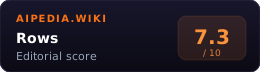
This page was produced by the aipedia.wiki editorial pipeline, an automated system that ingests vendor documentation, verifies pricing and feature details against primary sources, and generates the editorial analysis you are reading. No individual human wrote this review. Scoring follows the four-dimension rubric at /about/scoring/ (Utility, Value, Moat, Longevity, unweighted average). Last verified 2026-06-12 against rows.com/pricing, rows.com/ai, and rows.com.
FAQ
Is Rows free? Yes. The Free plan runs the full spreadsheet at $0 with 5 AI tasks per month, 10 integration accounts, and 500 API calls. Serious use starts at Plus ($8/user monthly, $6 on annual). Verified via rows.com/pricing.
What models does Rows use? Rows documents a combination of OpenAI GPT models, Llama, and other LLMs, updated to current versions on its own schedule. Users do not pick the model per cell on Free, Plus, or Pro. Enterprise contracts can request custom models.
What does =AI() do inside a cell?
Type = in a Rows cell and describe the result in English. The AI writes the formula, generates a chart, classifies or extracts text, enriches with web research, or forecasts. It is the fastest way to avoid context-switching to ChatGPT and back.
How is Rows different from Google Sheets plus Gemini? Rows ships the AI cell and 50+ live SaaS connectors as native, not addons. Sheets plus Gemini leans on Google Workspace depth (Docs, Drive, Gmail hooks) and free-tier generosity. Pick Rows for SaaS-data ops workflows. Pick Sheets for Workspace-native teams.
Does Rows work offline? No. Rows is browser-only with no desktop or mobile app for full editing. Desktop Excel remains the pick for offline modeling.
Did Rows get acquired? Rows joined Superhuman in 2026. The product is still sold standalone at rows.com with unchanged pricing. Rows’ pricing page says Superhuman privacy policy and terms apply as of June 16. Long-term roadmap direction may shift as integration progresses. Verified via vendor site on 2026-06-12.
What are Data Tables? Data Tables are live-synced tables pulled from SaaS tools on a schedule. Free refreshes manually, Plus refreshes daily, Pro refreshes every minute, and Enterprise matches Pro with advanced API endpoints.
Sources
- Rows Pricing: current tiers and AI task caps as of June 2026
- Rows AI features: AI Analyst, =AI() cell, model list, feature breakdown
- Rows main site: post-acquisition product positioning and Superhuman governance routing
Related
- Category: AI Automation
- Alternatives: ChatGPT · Julius · Claude
Review History
- 2026-05-13: Dates-only refresh. Pricing verified unchanged. Noted Superhuman governance routing for privacy and terms.
- 2026-04-17: New page. Pricing and features verified against rows.com.